
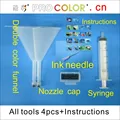


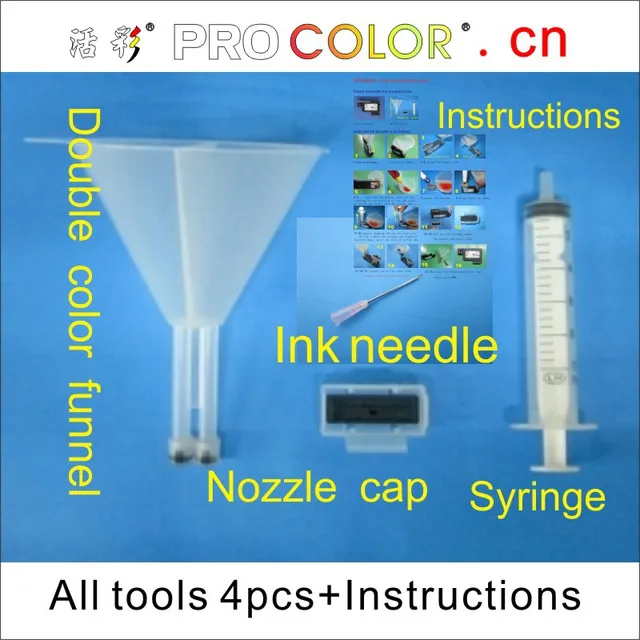
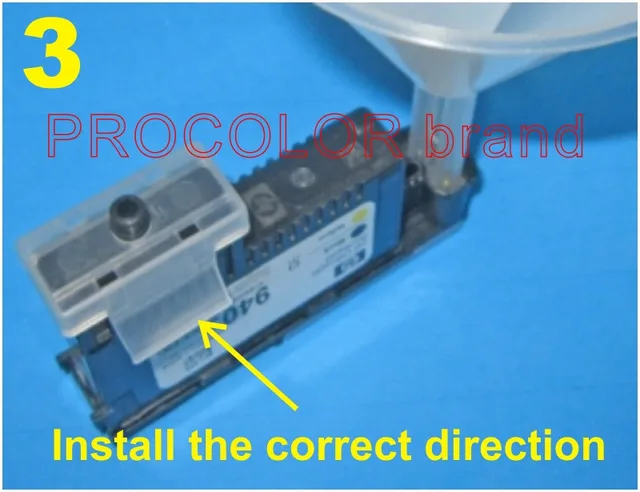

Newest Printhead cleaning tool For HP 70 72 88 91 940 Printhead for hp Z2100 Z5200 Z3200 T610 T1100 T770 T790 T795 K8600 printer
Buy With Confidence
100% Safe Payment
;


You May Also Like...
New GPD WIN Max 2 10.1 Inch AMD Ryzen 7 6800U Win 11 4G Gaming Laptop Notebook Portable Game Computer 16/32GB RAM 1TB/2TB Nvme
R26211.60
【Super Deal】15.6 Inch AMD Ryzen R7 4700U/R5 4500U MAX 36GB DDR4 M.2 2TB SSD Windows 10 Gaming Laptops Notebook Blacklit Keyboard
R9066.47
YSJMNPC 14.1 Inch Gaming Laptop Intel Core i5-8265U NVIDIA MX250 2G Ultrabook Windows10/11Pro RAM 32GB DDR4 M.2 NVME SSD WIFI BT
R9395.85
New GPD Pocket 3 Mini Laptop PC 8 Inch Intel Core i7 1195G7 16GB/1TB Pentium N6000 8GB/512GB Modular Full-featured Handheld WIFI
R15151.34

Cheap Students Laptop 13.3 Inch Notebook Windows 10 Pro RAM 6GB 128GB 256GB 512G Fast SSD 1000G Option TF Card Intel Computer PC
R3917.72
Description
The newest design(not afraid of mixed color):
printer head printhead cleaning kit smart clean kit refill tool,
print Head Maintenance,Refilling ,Cleaning Kits!
For HP Printer head models:
18 70 72 80 83 88 89 90 91 940 941. For HP printer models:
T610/T620/T770/T790/T1100/T1120/T1300/T1200/T2300;
Designjet 5000uv/5500 ps uv/5500uv; Designjet Z2100;
Designjet Z3100ps/Z3100/Z3200; Designjet Z6100
Officejet Pro K550/K550dn/k550dtwn;
K5400/K5400dn/K5400dtn/K5400tn; K8600/K8600dn; L7400/L7480;
L7500/L7550/L7555/L7580/L7590; L7600/L7650/L7680/L7681;
L7700/L7750/L7780; PRO K5300; L7380;
Officejet Pro 8000-A809a/A811a/A809a/A809n;
Pro 8500 – A909b/A909a/A909n/A909g/A910a;
Pro 8500A – A910a/A910g/A910n;
Designjet 1050/1050C plus/1055 cm/1055 cm plus;
Designjet 5500/5500PS/5000;
Features: The maintenance device is mainly for the problem of
air-entering to the print head, vertical and horizontal blank stripe
printing.but it won’t be helped for the problem of chip damage and
electrical faults of the print head!If your HP printer head is cloged,empty or loses ink volume over time, it will no longer print
correctly.Just try to use This smart tool kit to refill with ink into the
printer head , it may Save and Revitalize your print head!
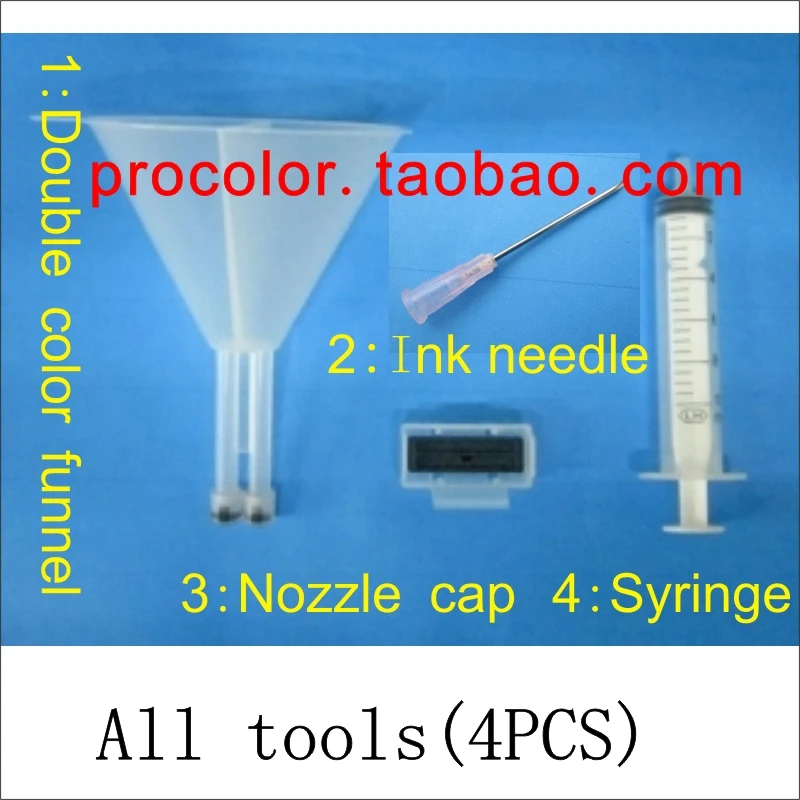
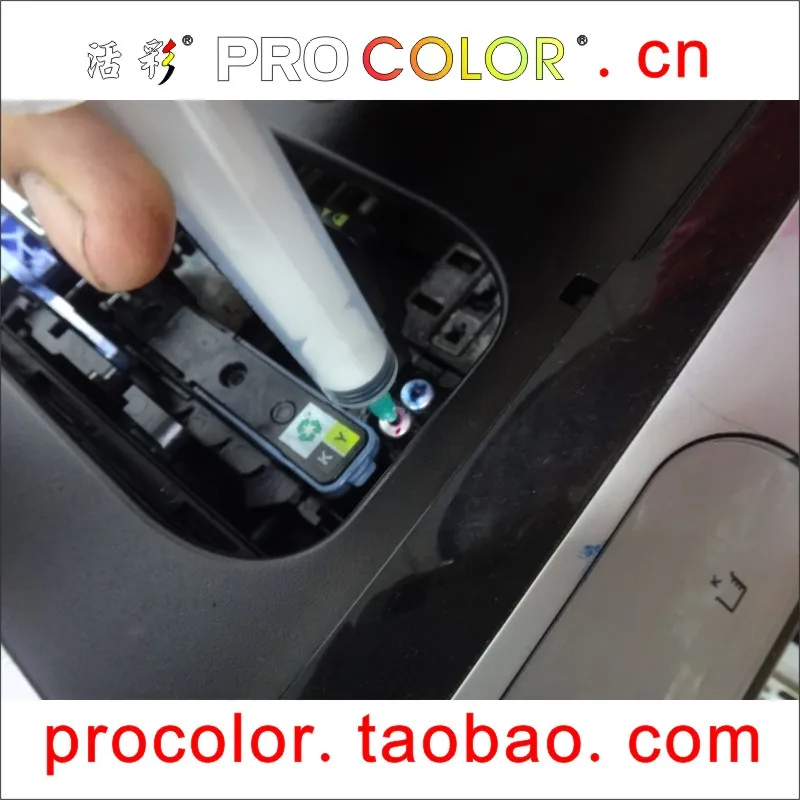
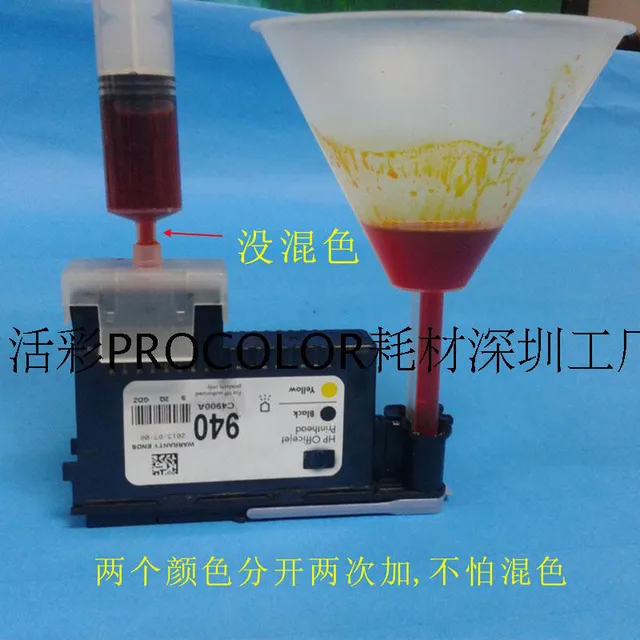
Selling point 1 :Finished one color to another color,not afraid of
mixed color,Arrow can be seen no mixed color.
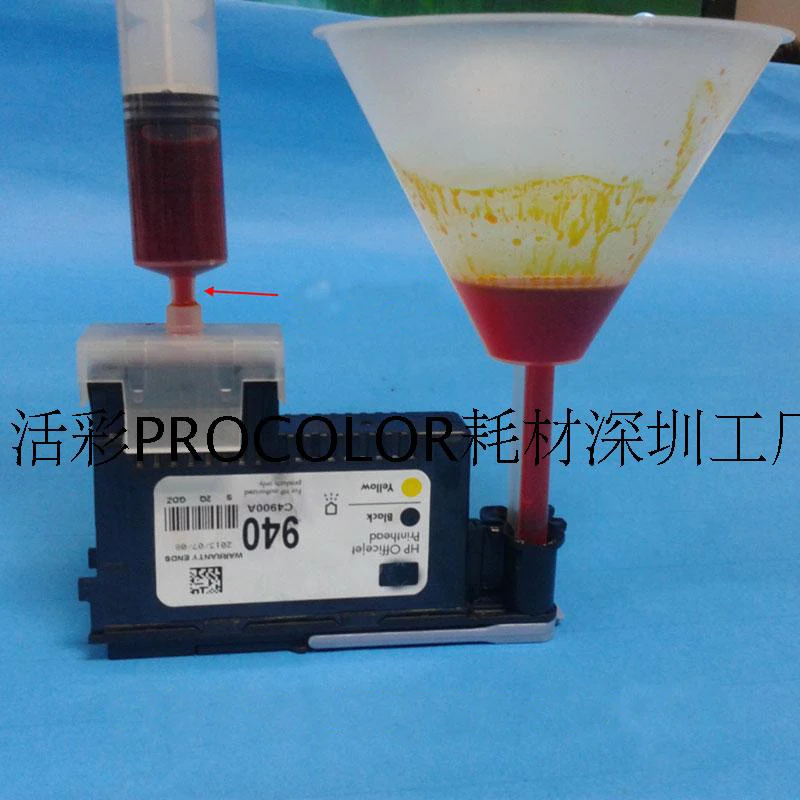
Selling point 2 : Arrow can be seen :hole only open in the ear side,
so finished one color to another color, not afraid of mixed color
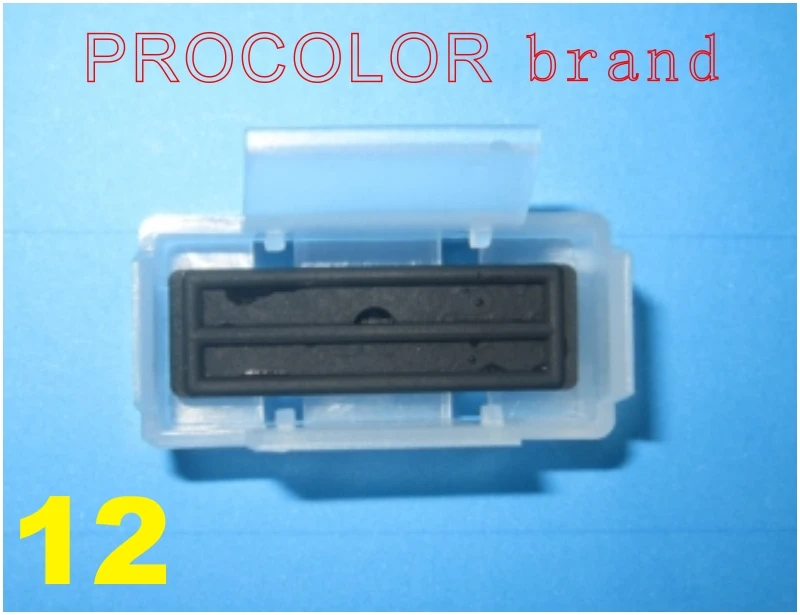

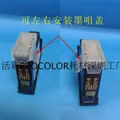
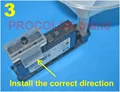
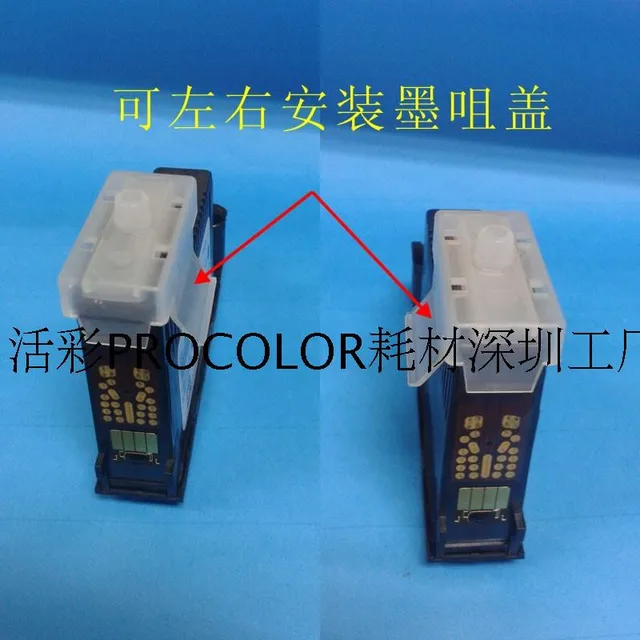
Selling point 3 :Arrow can be seen :Direction can be installed on
both sides, the nozzle cap is installed is very strong ,so finished
one color to another color, not afraid of mixed color

Selling point 4:Funnel the ink nozzle cap for conjoined, fixed well

head add ink process is as follows :


3-4.Install the nozzle cover

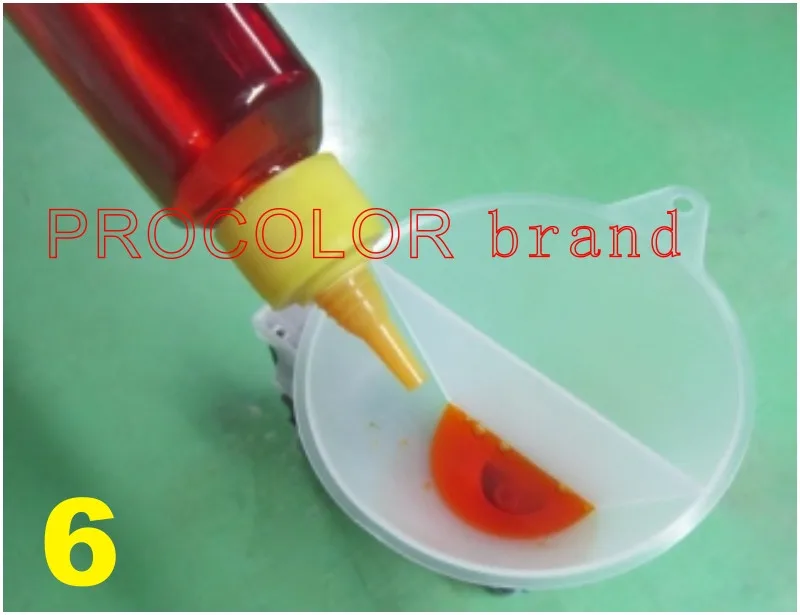
5-6. Note the ink before, must see the cartridge on the position of the ink color,go inside the funnel into the yellow ink.

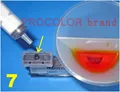
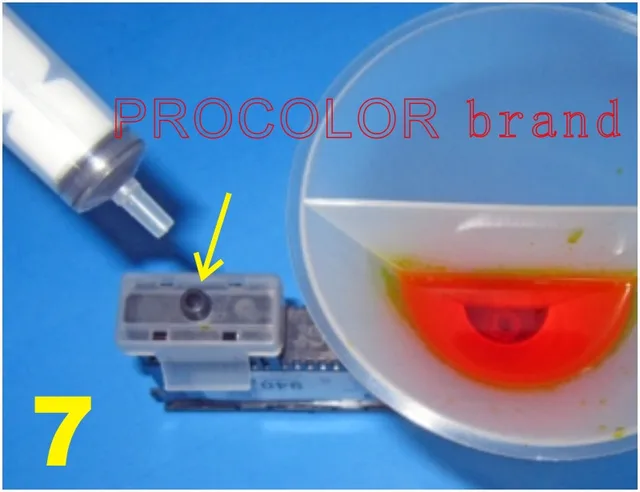
7. Insert the syringe
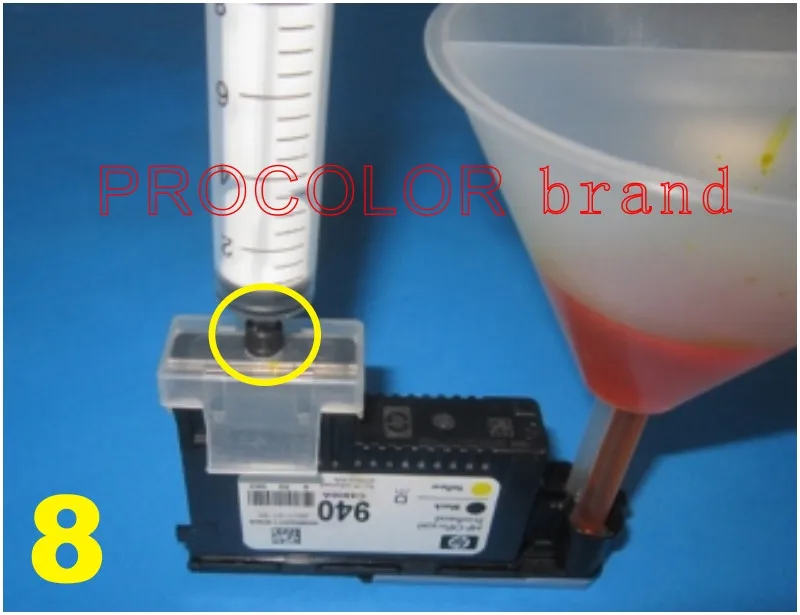
8. After insert as shown


9-10.Upward, pumping ink out air and a bit of ink, remove the syringe and repeated several times, until the full of yellow ink.


11-12. Pull out the syringe,remove the nozzle cap,rinse clean.

13.The nozzle cap to the other side

14.Repeat 5-10 steps,Into the ink and remove the funnel and nozzle cap, OK.

Follow us on: